019 Gimbal Drone: Choosing Shots for a Larger Display
Lorvyo Editorial
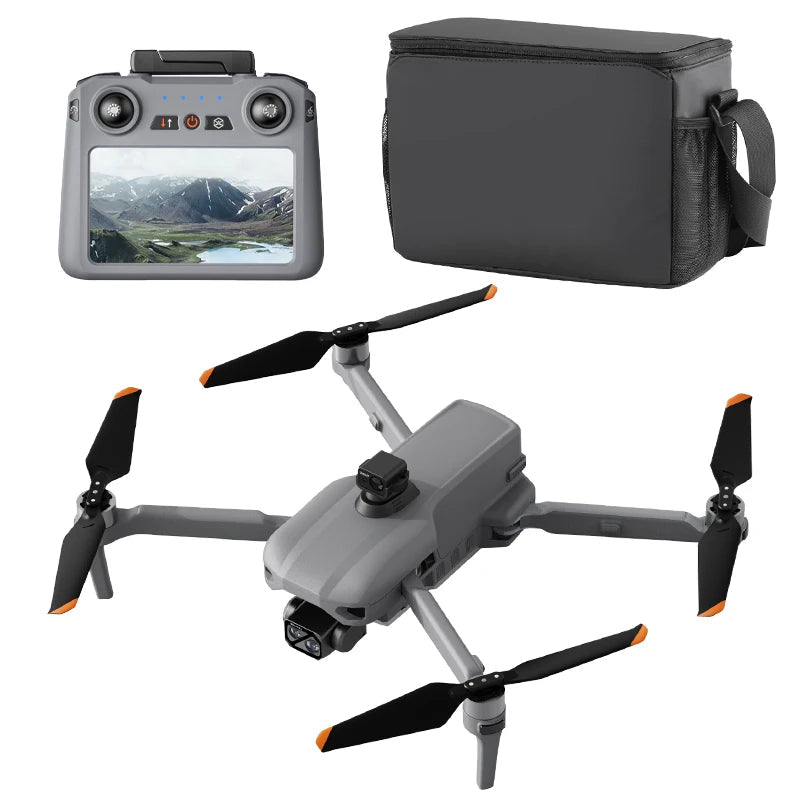
Use the 019's screen controller to plan compositions while checking saved footage independently of the live preview.
The 019 pairs a three-axis gimbal with a 5.5-inch controller display. Rather than filling the screen with constant movement, use that viewing area to make a deliberate decision about the subject and the edges of your frame.
Look at the edges as well as the centre
Before committing to a composition, notice objects entering the corners or cutting through the subject. A centred subject can still sit inside a cluttered frame. Practise identifying those distractions in a sample clip so the task feels familiar when you review your own footage.
Give each shot enough context
Think about what the viewer needs to understand before the closer view appears. A wider establishing frame and a more specific detail can do different jobs. These are editorial choices, not a claim that the 019 supplies automatic cinematic flight paths or subject tracking.
Check the result away from the controller
Transfer a saved test file and watch it on another screen. Preview brightness and display size can change your impression of detail. Confirm recording format and storage compatibility for the supplied kit; the listed 128 GB card support is a capacity limit, not proof that a suitable card is included.
Details from the current product listing
| Model | 019 |
|---|---|
| Controller screen | 5.5 inches |
| Memory-card support | Up to 128 GB, card not specified |
Check the selected option and current product page for the supplied configuration.
Does the controller size determine the recorded resolution?
No. The display and the saved camera file are separate specifications. Review an original recording from the exact configuration.
Explore the product
Lorvyo 019 Gimbal Drone — view current options, images and availability.
For a different angle: 019 Gimbal Drone: Organize Your First Recording Session.
Related reading: A26 Pro Drone: Review Camera Footage Beyond the 4K Label.