Z102 Drone: Folding and Packing Without Stressing the Arms
Lorvyo Editorial
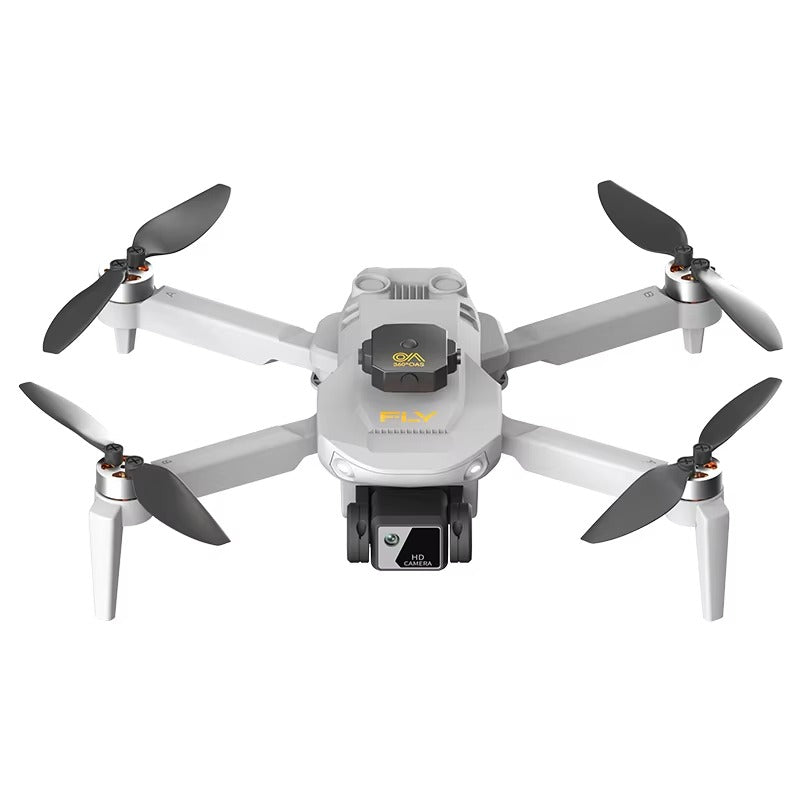
Prepare the Z102 for storage with a repeatable arm, propeller and accessory check after each session.
The Z102 folds for storage, but a compact shape is only useful if the moving parts are handled correctly. A consistent packing sequence can prevent cables and loose accessories from pressing against the aircraft.
Follow the intended folding sequence
Use the Z102 instructions to identify which parts move and in what order. Do not force a joint because another folding drone uses a similar shape. Check that a propeller or cable is not caught between surfaces before closing the arms.
Keep small items from migrating
Give cables and removable accessories their own pouch or compartment. When the bag is closed, nothing should press on a camera or lever a folded arm sideways. If you change bags, check the fit again; a soft exterior does not guarantee that the contents are protected from each other.
Make unpacking the reverse inspection
At the next session, look for loose parts or pressure marks before assembly. Confirm that the selected Gray or Black finish matches your kit, but use the model identification rather than colour when asking about replacement parts. Battery capacity in the listing is not enough to identify a compatible spare pack.
Details from the current product listing
| Model | Z102 |
|---|---|
| Battery listing | 1800 mAh |
| Colors | Gray or Black |
Check the selected option and current product page for the supplied configuration.
Can I carry the Z102 by a folded arm?
Use the handling method in the supplied instructions. A folding joint should not be assumed to be a carrying handle.
Explore the product
Lorvyo Z102 Folding Camera Drone — view current options, images and availability.
For a different angle: Z102 Folding Drone: A Careful First Unboxing Routine.
Related reading: A26 Pro Drone: Review Camera Footage Beyond the 4K Label.