DM5 Microphone: Comparing Noise Reduction on Real Speech
Lorvyo Editorial
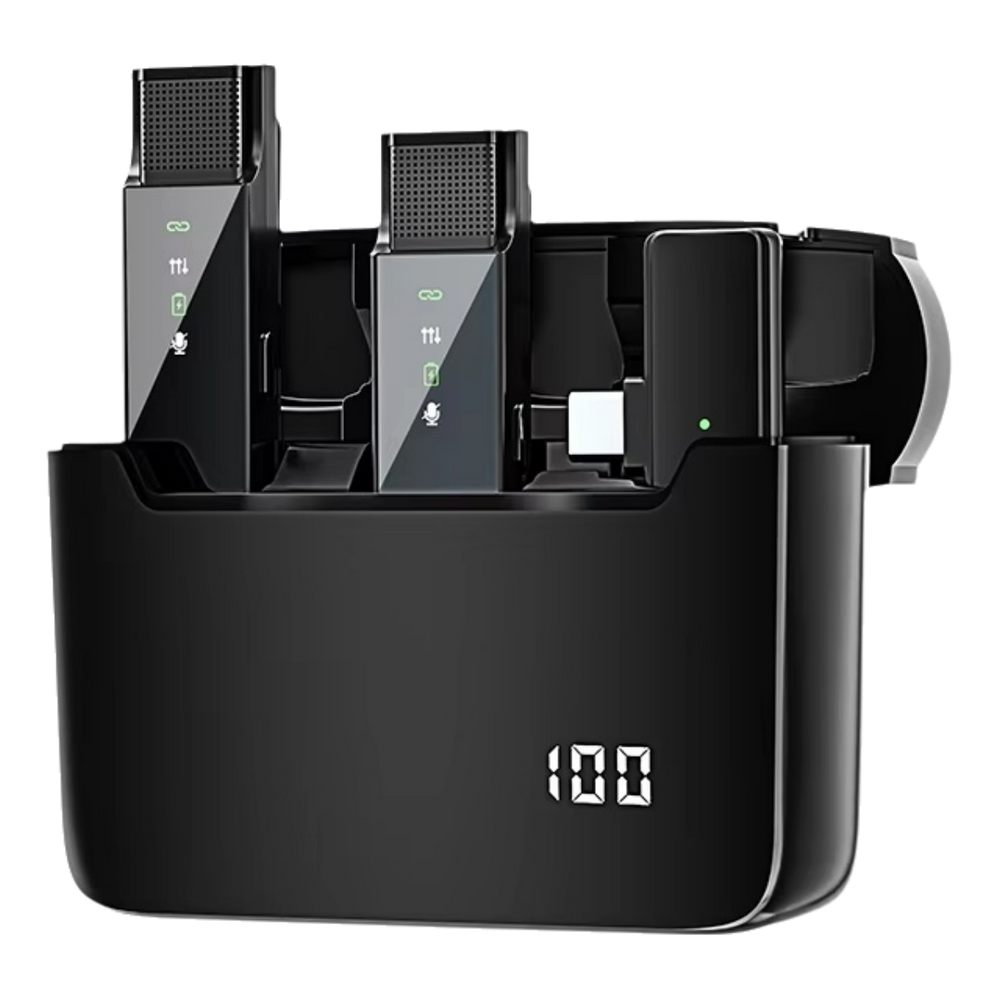
Use a controlled DM5 recording comparison to judge voice clarity instead of choosing the quietest background alone.
The DM5 lists a noise-reduction feature and a charging case. Before using processing on an important recording, compare what happens to ordinary speech in the room where you will actually record.
Use the same words and position
Choose a short paragraph with quiet and louder phrases. Keep the microphone placement, speaking distance and room unchanged between tests. If the supplied controls allow noise reduction to be changed, follow the manual and label each recording with the selected state.
Listen for the words
Focus on whether soft endings and consonants remain understandable, not just on the silence between sentences. Background reduction and voice clarity are separate things to evaluate. The listing does not establish a measured reduction level or guarantee that every type of room noise will disappear.
Keep a repeatable baseline
Save the setting and placement that suit your ordinary voice. When you change location, make another short comparison rather than assuming the earlier result transfers perfectly. Check the Lightning or USB-C receiver and app route first if the recorded sound changes unexpectedly.
Details from the current product listing
| Model | DM5 |
|---|---|
| Receiver options | Lightning or USB-C |
| Use | Mobile voice recording |
Check the selected option and current product page for the supplied configuration.
Should I always choose the strongest processing available?
Only use settings supported by the supplied model, and compare the saved voice. More processing is not automatically a better result.
Explore the product
Lorvyo DM5 Wireless Microphone with Charging Case — view current options, images and availability.
For a different angle: DM5 Microphone: Build a Reliable Case-to-Camera Routine.
Related reading: S53 Wireless Microphone: Using Mute With Confidence.